WordPress continues to make website creation more flexible, visual, and user-friendly. WordPress 7.1 takes another major step forward with powerful responsive design controls, improved media handling, better collaboration tools, new blocks, accessibility enhancements, and a more consistent editing experience.
One of the biggest highlights of the WordPress 7.1 update is the ability to customize how blocks look across different screen sizes directly from the editor. Features that previously required custom CSS are now becoming part of the standard WordPress editing experience.
Here’s a closer look at the most important WordPress 7.1 features and what they mean for website owners, designers, developers, and content teams.
1. Responsive Block Styles Without Custom CSS
Responsive web design is no longer something WordPress users need to handle entirely through custom CSS or external page builders.
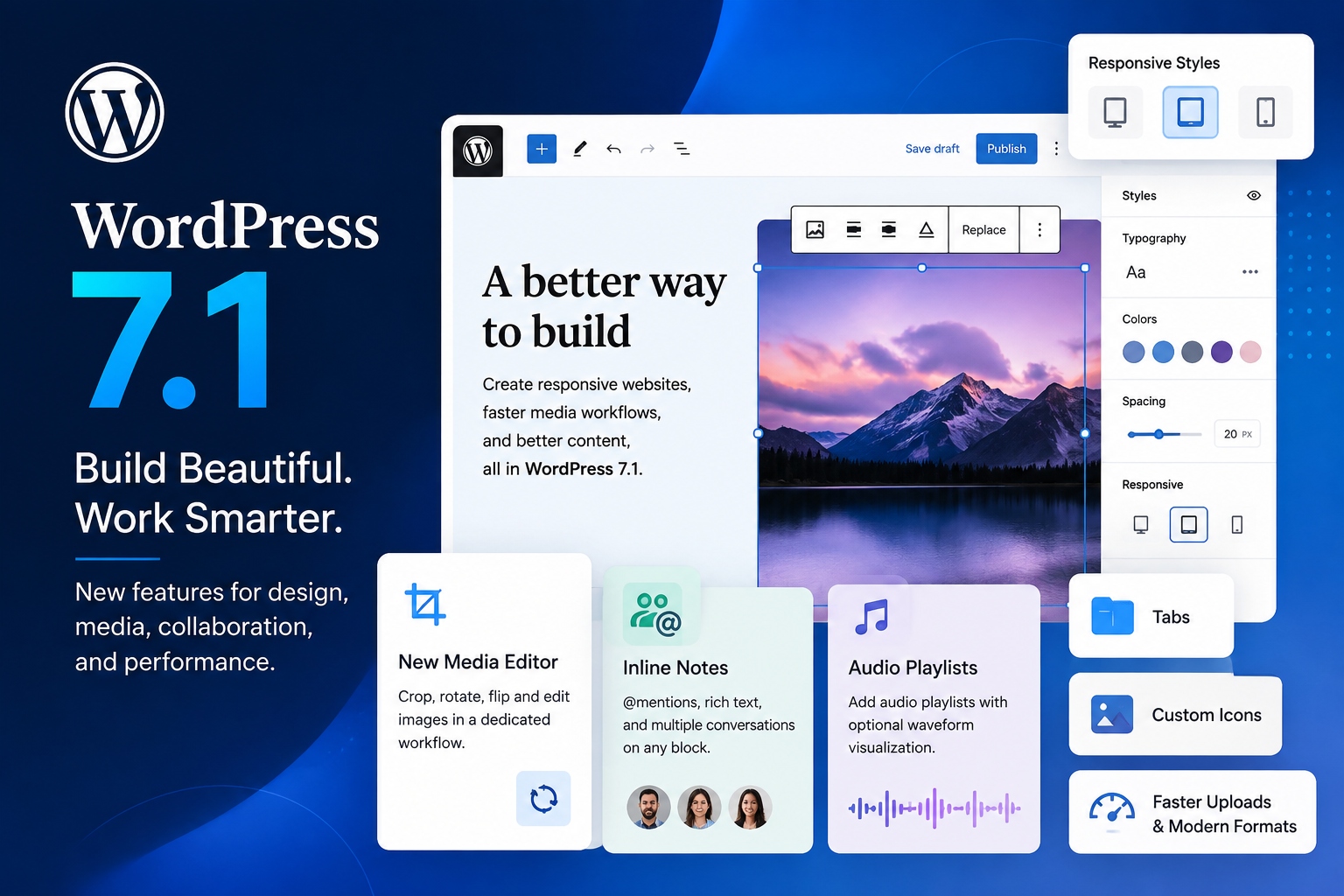
WordPress 7.1 introduces built-in responsive block styling, allowing users to control how individual blocks appear on different screen sizes.
You can adjust styles for desktop, tablet, and mobile experiences directly within the editor.
Responsive controls can be applied through:
- Global Styles
- Individual blocks
- Typography settings
- Spacing and dimensions
- Colors and backgrounds
- Borders
- Layout settings
This gives designers greater control over mobile-friendly layouts while reducing the need for additional CSS.
For businesses, this is especially important because a website that looks great on a desktop may not automatically provide the best experience on a smartphone.
2. Custom Responsive Breakpoints
WordPress 7.1 goes beyond basic responsive controls by allowing theme developers to define their own mobile and tablet breakpoints through theme.json.
Instead of relying only on WordPress’s default viewport sizes, developers can configure breakpoints that better match the design requirements of a particular website.
Responsive styling and block visibility can then follow those customized breakpoint values automatically.
This means WordPress websites can have more precise control over how layouts adapt to various devices and screen sizes.
3. Interactive Styles for Buttons and Navigation
WordPress 7.1 also improves control over interactive elements.
Users can customize how supported blocks such as Buttons and Navigation Links appear in different states, including:
- Hover
- Focus
- Active
Previously, creating these effects often required CSS.
With WordPress 7.1, interactive styling can be managed directly through editor style controls, making it easier to build polished buttons, menus, calls to action, and navigation experiences without coding.
4. A New and Improved Image Cropping Experience
Image editing is also getting a major usability upgrade.
WordPress 7.1 introduces a dedicated media editor modal that replaces the older inline cropping workflow.
The familiar Crop option remains available, but it now opens a more focused image-editing environment.
Users can perform actions such as:
- Freeform cropping
- Aspect-ratio cropping
- Image flipping
- Precise rotation
- Image adjustments
- Metadata editing
Bringing these tools together in one place makes preparing website images faster and more intuitive.
5. Faster and Smarter Media Handling
Media processing receives significant improvements in WordPress 7.1.
Instead of placing all the processing workload on the web server, more image processing can happen directly in the user’s browser.
This can help reduce server CPU and memory usage while improving the reliability of large image uploads.
WordPress 7.1 also expands support for modern image formats, including:
- AVIF
- HEIC
- WebP
- HDR/UltraHDR-related media capabilities
Improved browser-side processing can also help reduce situations where large uploads run into PHP memory limits or server timeouts.
For image-heavy websites, blogs, portfolios, eCommerce sites, and business websites, these improvements can provide a smoother content-management experience.
6. Admin Bar Available Across Editors
Navigation inside WordPress becomes more consistent with the admin bar remaining available across the editing experience.
Whether you are moving between the dashboard and different editors, the familiar navigation bar helps maintain context and provides faster access to important WordPress areas.
The admin bar has also received visual refinements designed to make the overall editing experience feel more unified.
7. Better Collaboration with Inline Notes
WordPress 7.1 makes Notes far more useful for teams working together on website content.
Notes now support richer collaboration features, including:
- @mentions
- Bold text
- Italic text
- Code formatting
- Links
- Multiple conversations on the same block
- Notes attached to specific text selections
- Collapsible longer discussions
Using an @mention allows team members to tag a collaborator directly, helping ensure that feedback reaches the right person.
This can be particularly useful for marketing teams, editors, designers, agencies, and businesses where several people are involved in reviewing website content before publication.
8. Create Audio Playlists
WordPress 7.1 introduces improved support for creating audio playlists directly within content.
Website owners can group multiple audio files into a collection and allow visitors to move between tracks.
An optional waveform view can visually represent the shape of the audio while it plays.
This feature can be useful for:
- Podcasts
- Music websites
- Training material
- Interviews
- Audio courses
- Event recordings
It provides a cleaner way to present multiple audio resources without requiring a separate solution for every use case.
9. Organize Content with Tabs
The new Tabs block provides a cleaner way to organize related information.
Instead of displaying large amounts of content one section after another, website creators can place information into separate tabbed panels.
Tabs can work well for:
- Product specifications
- Service information
- Pricing details
- FAQs
- Course information
- Feature comparisons
- Documentation
This helps reduce visual clutter while allowing visitors to quickly access the information most relevant to them.
10. Custom Icon Support
WordPress 7.1 expands customization possibilities for plugin and theme developers with custom icon registration.
Developers can register their own icon sets so those icons become available alongside WordPress’s built-in icons.
This gives developers and brands more flexibility when creating custom interfaces and block-based experiences while helping maintain a consistent visual identity.
11. Accessibility Improvements
Accessibility remains an important focus in WordPress 7.1.
The update includes improvements designed to make both WordPress administration and the editor easier to navigate and understand.
Key accessibility enhancements include:
- A new accessible tooltips API
- Improved screen-reader predictability
- Better labeling throughout WordPress admin
- Improved editor navigation
- Improved keyboard and interaction experiences
These changes contribute to making WordPress easier to use for a wider range of users and support the platform’s continued progress toward stronger accessibility standards.
Why WordPress 7.1 Matters for Website Owners
WordPress 7.1 is not simply a collection of small interface changes.
The update addresses several areas that directly affect modern website management: responsive design, performance, collaboration, accessibility, media optimization, and no-code customization.
Website owners can benefit from:
- Better mobile and tablet layouts
- Less dependence on custom CSS
- Easier image editing
- More efficient media uploads
- Better collaboration between teams
- Cleaner content organization
- Improved accessibility
- More control over interactive design
- A more consistent WordPress editing experience
For designers and developers, features such as custom breakpoints, interactive style states, custom icons, and enhanced media capabilities provide more flexibility when creating modern WordPress websites.
Should You Upgrade to WordPress 7.1?
For most actively maintained WordPress websites, keeping WordPress Core updated is important for compatibility, performance, security, and access to new platform capabilities.
Before performing a major WordPress update, however, it is good practice to:
- Create a complete website backup.
- Check theme compatibility.
- Check plugin compatibility.
- Test the update on a staging environment when possible.
- Verify important pages, forms, integrations, and mobile layouts after updating.
Businesses with custom themes, plugins, or complex integrations should test carefully before applying the update to their live website.
Final Thoughts
WordPress 7.1 makes responsive website design more accessible while improving the overall experience of creating, managing, and collaborating on web content.
Responsive block styles and interactive states reduce the need for custom CSS, while the new media workflow makes working with images and modern file formats easier. Tabs and Playlists provide new ways to organize content, and improvements to Notes, navigation, and accessibility make WordPress more effective for both individual creators and larger teams.
For businesses already using WordPress, version 7.1 provides another strong reason to review their website, test compatibility, and take advantage of the platform’s latest design and performance capabilities.
Frequently Asked Questions About WordPress 7.1
What is the biggest new feature in WordPress 7.1?
One of the most significant additions is built-in responsive block styling, which allows users to customize block styles for different screen sizes directly from the WordPress editor without relying on custom CSS.
Can WordPress 7.1 create responsive designs without CSS?
Yes. Many responsive styling options can now be controlled directly within the editor for supported blocks, although advanced custom website designs may still require additional development.
Does WordPress 7.1 improve image uploads?
Yes. WordPress 7.1 introduces improved client-side media processing and support for modern formats such as AVIF and HEIC, helping make media uploads more efficient and reliable.
What new content blocks are available in WordPress 7.1?
Among the notable additions are Playlist and Tabs functionality, giving creators new ways to present audio and organize related content.
Does WordPress 7.1 include accessibility improvements?
Yes. The release includes improvements to screen-reader behavior, labeling, tooltips, editor navigation, and other interactions designed to make WordPress more accessible.